Most people think of a BrightSign player as the little box behind a screen that loops a video. That’s true right up until you realize the thing is a full ARM64 Linux computer with an NPU sitting idle most of the day. And you can run your own code on it. Natively. That’s what an extension is, and once you grok it, a whole world opens up.
Full disclosure: my day job is VP of Software at BrightSign, so yes, this is literally part of what I do. But here’s why it’s more than a job to me. Strip away the digital-signage framing and a BrightSign player is really an edge IoT device - an ARM64 Linux box with real compute, an NPU, and I/O, sitting out in the world. That means sensing. That means robotics. Those are things near and dear to my heart, and suddenly the little box behind the screen looks a whole lot more interesting than just digital signage!
First, the basics.
Wait, What’s a BrightSign Player?
If you’ve walked through an airport, a fast-food line, a retail store, or a stadium concourse in the last decade, you’ve almost certainly looked at a screen driven by one of these without knowing it. BrightSign makes the media players that power a huge chunk of the world’s digital signage - those little fanless boxes bolted behind the display, quietly running content 24/7 for years without a reboot.
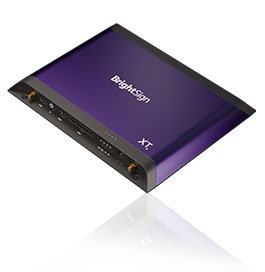
The player is a Linux box. Extensions let you run your own code there.
The reason they’re everywhere is that they’re appliances, in the best sense of the word. Solid-state, no moving parts, purpose-built OS, and a reliability story that makes them a no-brainer when you’re deploying thousands of screens you’ll never physically touch again. They just… run. Forever. That dependability is the whole brand. Oh, and there’s cloud software to manage them (that’s my actual day job!).
But here’s the thing the spec sheet undersells: the modern ones are legitimately capable little Linux computers. ARM64 CPU, real RAM, real storage, GPU, networking - and on the newer models, an NPU (more on that later, because that’s the good stuff). For years all that horsepower has mostly been pointed at decoding video. Extensions are how you point it at something else.
Getting Started for Real - Un-Securing the Player
Now we get to the fun part. The part where you void the warranty on purpose.
BrightSign players ship secured. They will only run software that’s been verified and signed by BrightSign. That’s not corporate paranoia - it’s protecting HDCP and other keys, and honestly it’s protecting reliability. A locked-down appliance that only runs vetted code is a feature when you’ve got ten thousand of them deployed in airports or retail stores and you can’t send a truck to each one.
But for development? Ugh, no. You need to run your own unsigned code, over and over, as fast as you can iterate. So you unsecure a player.
This is a deliberately physical, deliberately fiddly ritual, FOR A REASON. You can’t do it remotely. You need a real serial cable and quick fingers.
And I mean an actual honest-to-goodness serial cable - this is where the “edge IoT device” thing gets real. BrightSign spells out the recommended cable assembly: a 3.5mm male to DB-9 female adapter (the player’s console comes out on a 3.5mm jack) feeding a DB-9-to-USB serial adapter with a Prolific PL2303GT chipset (an FTDI FT232RL works too). Wire those two together, set your terminal to 115200 8-N-1, and you’ve got a console. If you’ve ever done embedded work you already have a drawer full of these. If you haven’t - welcome, this is your first one, and you’ll use it forever.
Here’s the dance (full docs here):
- Power OFF the player. (ProTip straight from the docs, and seconded by me: get a smart plug or a power strip you can slap. You’ll be power-cycling this thing a lot.)
- Hook up your serial monitor.
- While holding the SVC button, power it on.
- Quick, like a bunny - hit
Ctrl-Con the serial console. You’ve got about 3 seconds. Miss it? Start over.
Once you’re at the U-Boot prompt:
setenv SECURE_CHECKS 0
env save
printenv          # verify SECURE_CHECKS is 0
reboot
Don’t Start From Scratch - Use the Template
Here’s the good news: you don’t have to figure any of this out from a blank directory. BrightSign publishes an extension-template repo that’s basically a self-guided workshop for building, debugging, and deploying extensions. Clone it and you get three complete, working examples - one in C++, one in TypeScript/Node.js, and (of course, and this is the one I reach for) one in Go. Pick your language, copy the example, and you’re off. This post talks about go.
And if you’d rather be walked through all of this - the un-securing, the building, the packaging, the deploying, the iterating - hand-held, step by step, there’s an AWS-style workshop for exactly that: bs-workshop-extension. It’s a self-guided, hands-on set of sequential modules (figure on a few hours end to end) that takes you from a bare player all the way to a running extension serving data to a BrightScript app. It even ships a Docker dev container with the whole toolchain baked in - JDK, Maven, Go, Node, squashfs-tools - so you’re not fighting your own machine’s setup on top of everything else. If you’re the type who learns by doing rather than reading, start there and come back here for the why.
Let Your Agent Read the Docs: the BrightSign MCP Server
One more thing, and if you’re doing this with an AI agent - which, let’s be honest, you are - do not skip it. BrightSign runs an MCP server for AI assistants that wires your coding agent straight into the complete BrightSign technical docs in real time. Claude Code, Copilot, anything MCP-compatible.
For Claude Code it’s one line:
claude mcp add brightdeveloper --transport http https://brightdeveloper-mcp.bsn.cloud/mcp
Now your agent isn’t guessing at BrightScript quirks, extension lifecycle details, or hardware specs - it’s reading the authoritative source. This is exactly the kind of thing I was ranting about in my other posts: give the machine the right context and it writes code that actually works. Turn it on before you write a line.
What Even Is an Extension?
A BrightSign extension is custom compiled code that runs alongside BrightSign OS, as a system service. Not BrightScript. Not a JavaScript app running inside the presentation framework. Both of those don’t even need an extension. And you can do a lot with that! But if you need more, an extension is your answer. A real Linux executable that starts when the player boots and has direct access to the OS underneath.
Mechanically, it’s a squashfs filesystem that gets written into the player’s internal flash - not the SD card, the actual NVRAM. On boot the player mounts it at /var/volatile/bsext/ext_{your_name}/ and runs a control script called bsext_init. That script is dead simple - it just handles start, stop, and (optionally) run:
case "$1" in
    start)  start-stop-daemon --start --background --exec "$APP" ;;
    stop)   start-stop-daemon --stop --pidfile "$PIDFILE" ;;
    run)    exec "$APP" ;;   # foreground, for when you're debugging
esac
That’s it. That’s the contract. Old-school SysV init, which for a long-time linux developer like me feels like coming home. My first Linux kernel was before it was 1.0, and this is exactly the kind of thing I cut my teeth on.
Two Flavors: Standalone vs. Versioned
Here’s a distinction that matters and trips people up. Extensions come in two types:
- Standalone - works regardless of the BrightSign OS version. No dependency on version-specific system libraries. Think statically-compiled Go binaries, or interpreted stuff like TypeScript/Node (the player ships a Node runtime) and Python.
- Versioned - tied to a specific BOS version because it dynamically links against system libraries like glibc or libstdc++. Update the OS, and you may have to recompile and re-sign. This is the C/C++ world.
| Software type | Language examples | SDK required? | Extension type |
|---|---|---|---|
| Compiled, dynamic linking | C, C++, Rust (default) | Yes | Versioned |
| Compiled, static linking | Go, Rust (musl) | No | Standalone |
| Interpreted | TypeScript/JS, Python, Shell | No | Standalone |
My advice? If you can get away with Go, do it. GOOS=linux GOARCH=arm64 CGO_ENABLED=0 go build and you’re done. One static binary, no SDK, no version lock, works everywhere. It’s the path of least resistance and I love it for exactly that reason. TypeScript is the other easy on-ramp - the official template leads with it and there’s a “for the impatient” quickstart that’ll have you running in about five minutes.
You only need the BrightSign SDK - a cross-compilation toolchain, ~50GB of disk, and several hours for the initial build - if you’re doing dynamically-linked C/C++. Which sometimes you have to. But start easy.
The Build/Deploy/Test/Repeat Loop
With an unsecured player, the inner loop is refreshingly normal Linux stuff. You can scp your binary to the player and just run it. By default, most of the file system does not allow executables - but you can use /usr/local instead, since it does allow them.
But to really get your software working on boot, you need to go the full extension route. Build your thing, package it as a squashfs with the provided scripts, scp the zip to the player, unzip, run the install script, reboot. After the reboot it auto-mounts and auto-starts.
How to Make it Work on Secure Players
When it actually works and you want it on production (secured) players, you submit it to BrightSign for signing. Two things to know up front:
- Your extension name must be globally unique across all BrightSign partners. They may make you rename it.
- You get back a
.bsfwfile that installs on secured players just by dropping it on the SD card. You can even request a standalone.bsfwthat carries only your extension without bundling an OS update.
Talk to your Partner Engineer for the process. But get it working on an unsecured player first - all of it - before you go anywhere near signing.
Okay, But Now the Cool Part
Everything above is table stakes. Useful table stakes - custom drivers, background services, proprietary protocol integrations, system monitoring. Real work.
But here’s what actually makes me excited!
These newer players aren’t running plain ARM chips. They’re running Rockchip SoCs with a real NPU - a neural processing unit - built in. The XT5 has an RK3588 with a 3-core, 6-TOPS NPU. Even the little LS5 boxes have an RK3568 with 1 TOPS.
Think about that for a minute. There is a digital signage player - the thing you assumed just loops a video - with enough on-device inference horsepower to run multiple neural network models in parallel, at 25-30 FPS, drawing about 3.5 watts. Fanless. And an extension is exactly the mechanism that lets you use it.
This is edge AI that isn’t a demo and isn’t a cloud round-trip. It’s a computer that’s already deployed by the millions, already pointed at exactly the place you’d want a camera - in front of a screen people look at - with a spare AI accelerator nobody was using.
Seriously. Damn.
Argus: What This Looks Like Fully Built
Let me make it concrete. BrightSign has an open-source extension called Argus, and we built it to show something genuinely useful.
Argus is audience measurement. It watches the live camera video in front of a display and, entirely on-device, tells you things like:
- How many people are in front of the screen
- Gaze - are they actually looking at the display, and for how long
- Dwell time - how long they stick around
- Entry/exit events, plus movement direction (8-way) and speed
Under the hood it’s running two models on the NPU simultaneously - YOLOX for person detection and RetinaFace for face detection (that’s what powers gaze) - and fusing them with ByteTrack to follow individuals across frames. Inference latency is under 15ms per model, 35-55ms end to end. On a 3.5W device.
The Part I Want to Underline: Privacy
Here’s the design decision that matters, and it’s the one I’d lead with if you asked me to defend this to a skeptical room: no images leave the device, and there is no facial recognition.
Argus does face detection - it finds a bounding box so it can compute whether you’re looking at the screen. It does not do face recognition. No embeddings. No identities. No storing your face. It’s counting attention, not tracking people. That is a completely different thing, both technically and ethically, and the architecture enforces it. The camera feed is processed and discarded on the box. What comes out the other side is numbers.
And the output is refreshingly standard, ops-friendly stuff:
- MQTT - real-time JSON, per-person tracking and gaze/movement data, published to
bs/argus/analytics. Wire it straight into whatever you’ve got. - Prometheus - a
/metricsendpoint on:9101. Point Grafana at it and you’ve got audience dashboards in an afternoon.
MQTT and Prometheus. On a sign. As someone who’s built more than one home MQTT setup for the fun of it, this made me grin. It’s the same boring, reliable plumbing I’d reach for anyway, which is exactly what you want - the AI is the interesting part; the integration should be dull and dependable.
Why This Adds Up
Step back and look at the stack we just walked:
- A locked-down, reliable appliance you can deliberately open up for development.
- A dead-simple native extension mechanism - squashfs,
bsext_init, SysV init - that lets your code live right on the OS. - A real NPU sitting in hardware that’s already deployed at scale, already aimed at an audience.
- An open-source, privacy-respecting reference app that turns all of that into measurable business value with nothing more exotic than MQTT and Prometheus.
The extension is the lever. The player was always more computer than anyone gave it credit for. Argus is just the first thing that made that obvious to me, and I don’t think it’s the last. Point that idle NPU at a different problem - queue detection, shelf analytics, safety monitoring, accessibility features - and the same pattern holds. Un-secure, build, deploy, curse, repeat, sign.
If you’ve been sleeping on these boxes as “just signage,” it’s time to wake up! Grab the extension template, un-secure a spare player, and get your hands wet. Reading about it and doing it are two completely different things - and this is very much a get-in-the-water kind of thing.
Go build something. And if you build something cool on the NPU, drop me a note on LinkedIn - I want to hear about it.